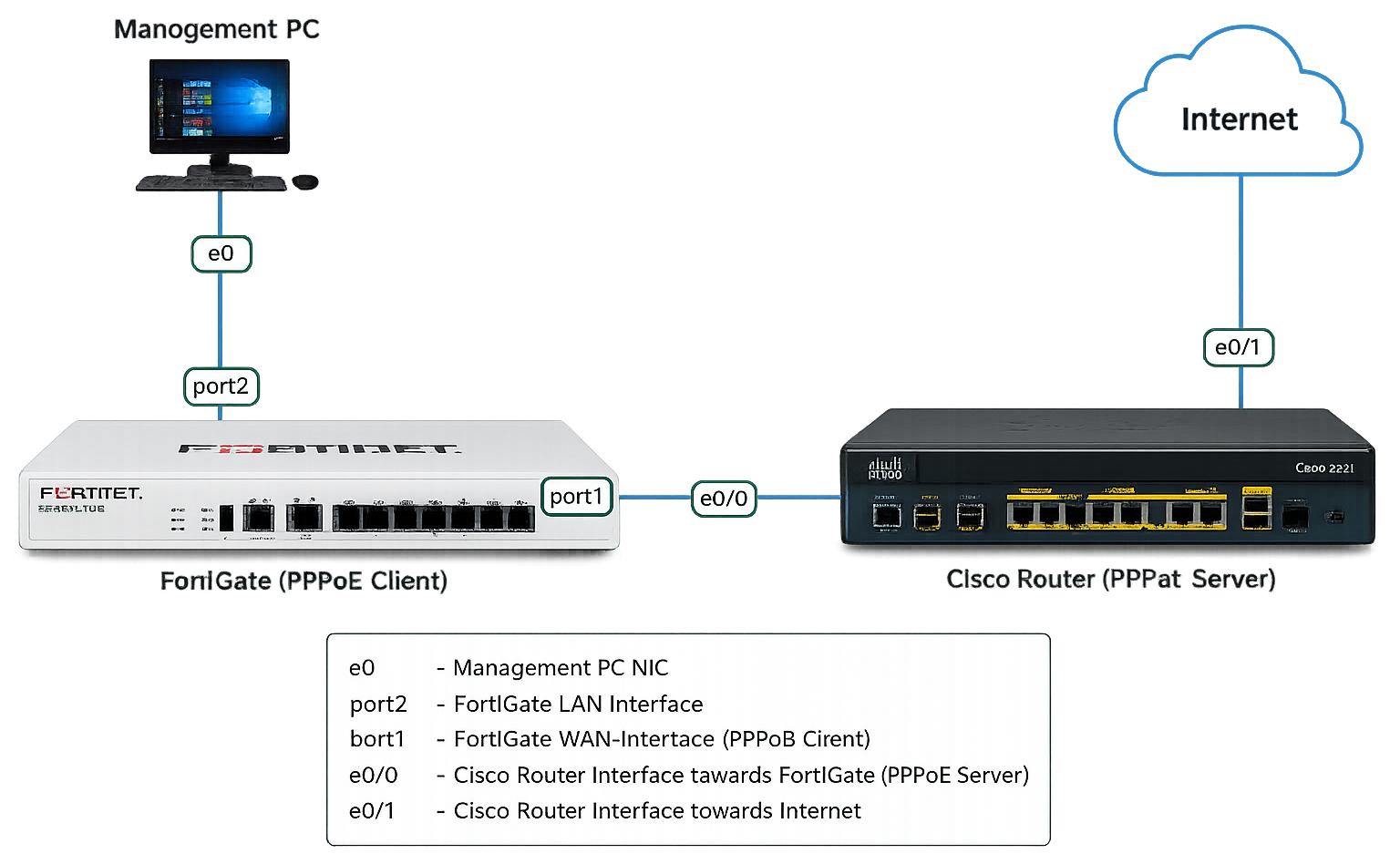
Server(config)# interface Virtual-Template1
Server(config-if)# ip address 192.168.12.2 255.255.255.0
Server(config-if)# mtu 1492
Server(config-if)# peer default ip address pool CLIENT
Server(config-if)# ppp authentication chap callin
3. IP Pool එක Create කිරීම
Server(config)# ip local pool CLIENT 192.168.12.1
Whenever the client connects, it will receive IP address 192.168.12.1. You can also use DHCP if you want some more options.
4. Username සහ Password Create කිරීම
Server(config)#username CUSTOMER password CISCO
5. Physical Interface එකේ PPPoE Enable කිරීම
Server(config)# interface Ethernet0/0
Server(config-if)# pppoe enable group global
දැන් Cisco Router එක PPPoE Server එකක් ලෙස සූදානම්.
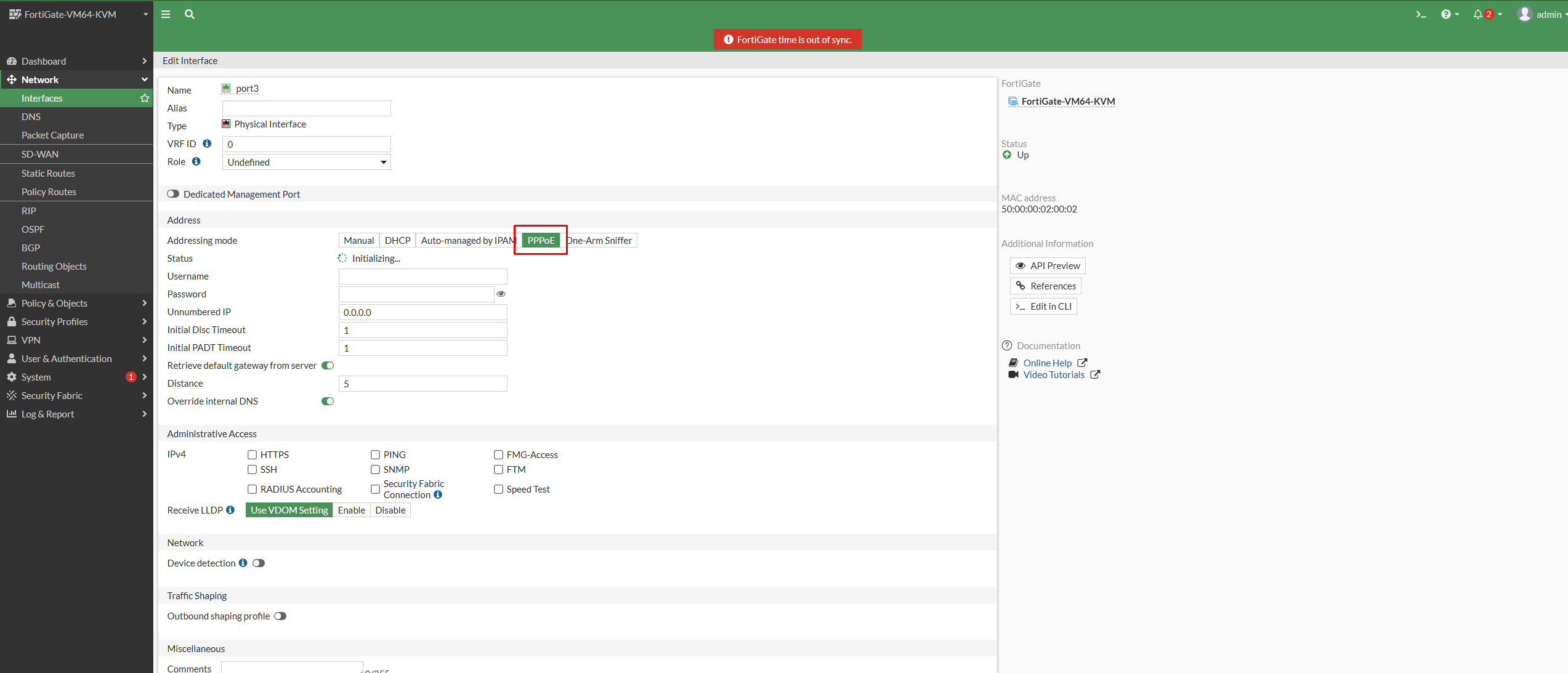
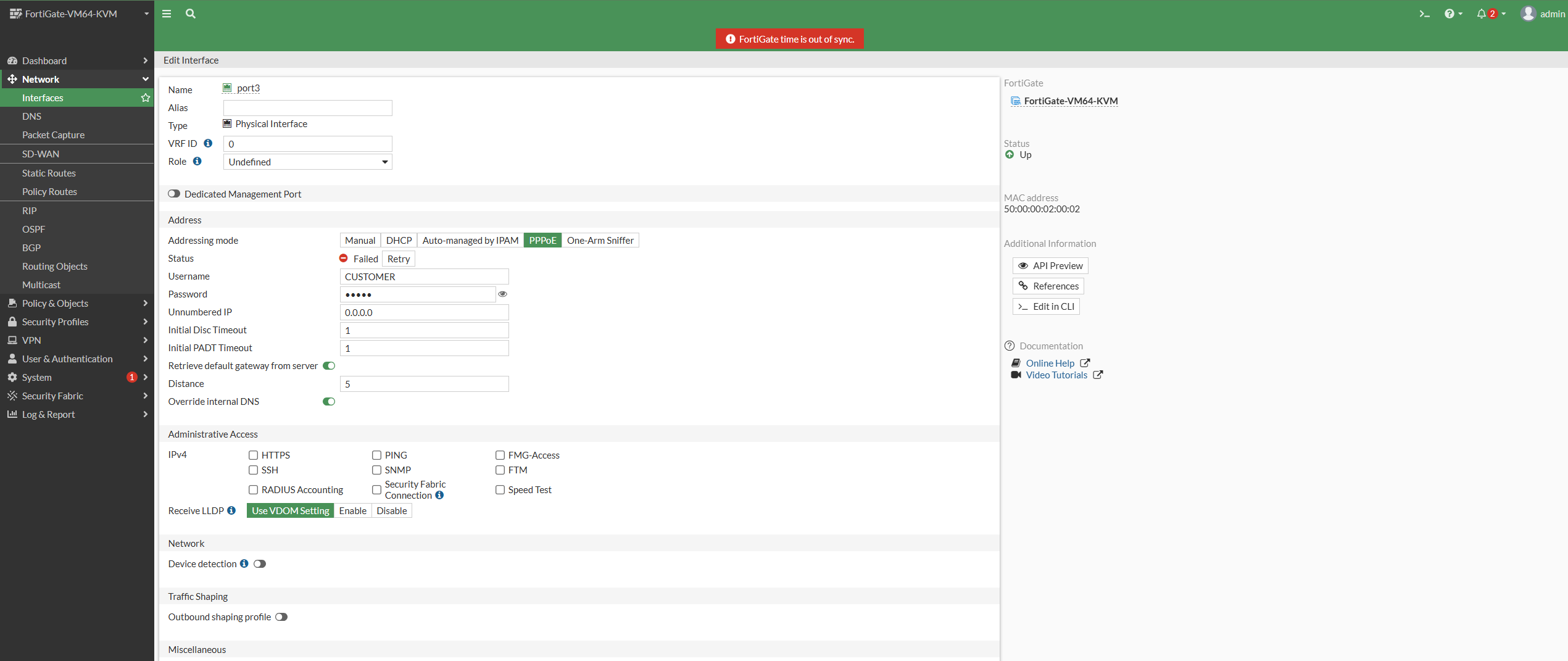
Configure the PPPoE options from the CLI to be able to see the PPPoE options from the GUI. Starting FortiOS v7.4.7 and above PPPoE option is available on GUI by default. Also, configuration will be retained in case addressing mode is set to other modes then back to PPPoE.
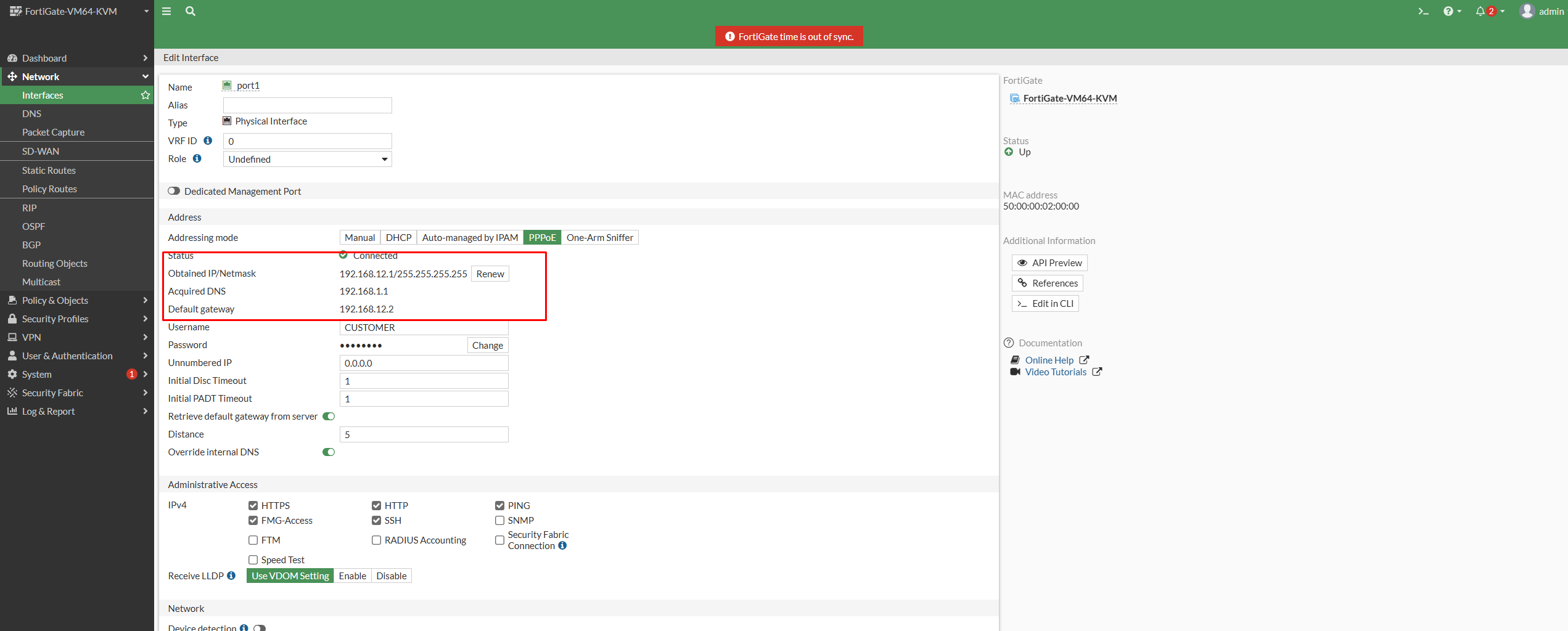
After saving the WAN interface, confirm that the interface has received an address from the ISP. In the FortiGate GUI, review the interface status, its assigned IP address and the default route. A successful PPPoE login alone does not guarantee that users can browse: the firewall still needs a route to the internet, an appropriate outbound policy and working DNS resolution.
For a repeatable handover, test in this order:
Confirm the PPPoE interface is up and has an address.
Check that the default route uses the PPPoE WAN interface.
Verify the LAN-to-WAN policy permits the intended users and includes NAT where required.
Ping a public IP address from the FortiGate. If this works but names fail, test the configured DNS servers.
Test a client device and review Forward Traffic logs to confirm which policy handled the session.
Common PPPoE problems and what to check
Authentication fails or the interface stays down
Re-check the username and password supplied by the ISP, including any required suffix. Confirm that the ONT or upstream router is in bridge mode when the FortiGate is expected to authenticate directly. Some providers require a specific VLAN on the WAN handoff; confirm that value with the provider rather than guessing.
PPPoE is connected but users have no internet
This is usually a policy, route, NAT or DNS issue. Start with the route table and the LAN-to-WAN policy. Then use traffic logs and a controlled ping test from the FortiGate. Avoid disabling security profiles just to make a test pass; identify the exact policy or profile event instead.
The connection drops intermittently
Check interface errors, physical cabling, ISP service events and WAN logs. Record the time of each dropout and compare it to PPPoE negotiation messages. That evidence is much more useful to an ISP escalation than a generic “internet is down” report.
Operational notes for production firewalls
Document the WAN interface name, VLAN ID, provider contact path, approved DNS servers and the change date. Back up the configuration before and after a production change. If this circuit is business-critical, consider a second WAN path and test failover with a controlled maintenance window. PPPoE configuration is a small task, but a clean validation and rollback plan is what makes it safe in an enterprise environment.
Ready to start?
Join a published OneAccess program and continue from the student LMS.
We'll send focused training, certification, and enterprise IT updates connected to this article. Your details are sent to our CRM follow-up workflow and saved in the local lead queue.